

Guided Imagery for Anxiety: A Practical Step‑by‑Step Guide
- Patricia Maris

- Feb 14
- 16 min read
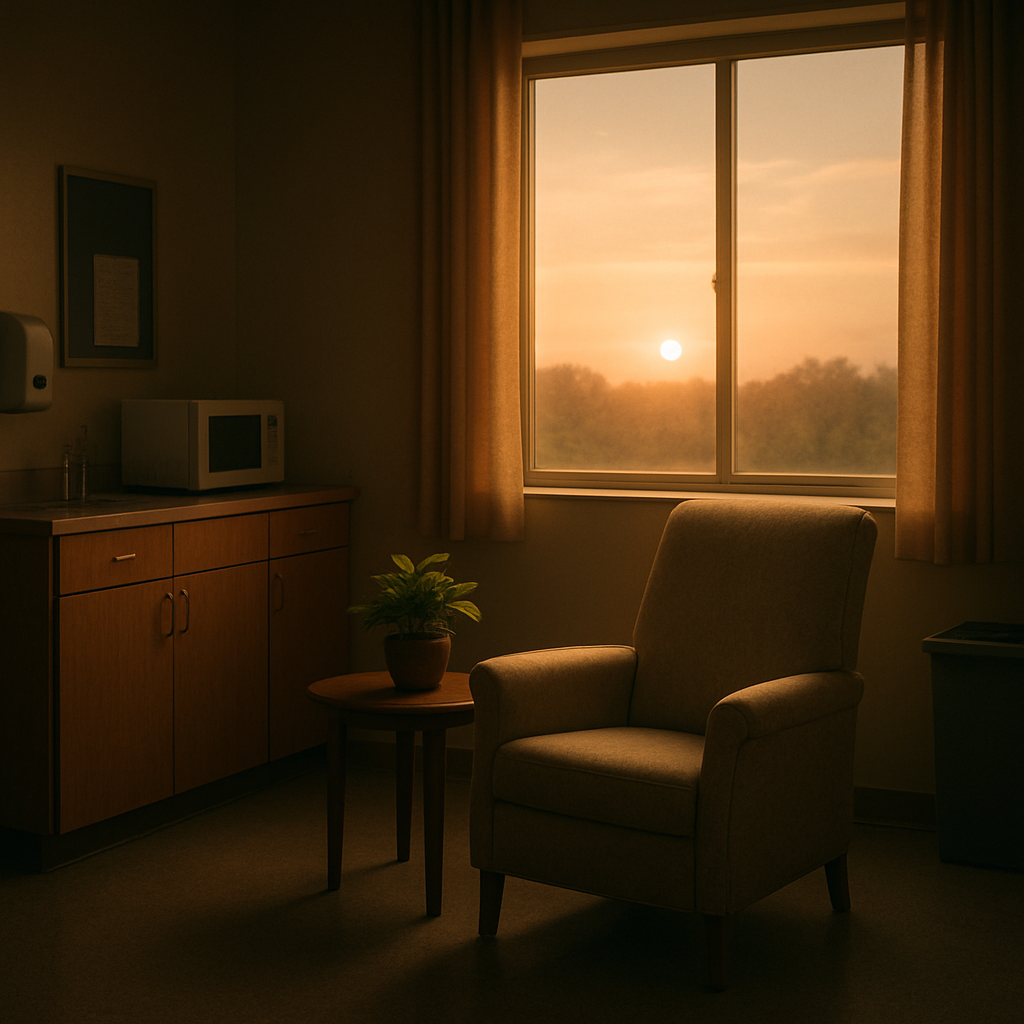
Ever notice that knot in your stomach right before a busy ward round, or the racing thoughts that hijack your focus during a night shift? You're not alone—many of us in healthcare feel that tight‑rope wobble between competence and overwhelm, and it can sneak up even on the most seasoned clinicians.
Guided imagery for anxiety is a simple yet powerful mental rehearsal technique. By vividly picturing a calm scene—like a quiet beach, a sunlit forest, or even a familiar, safe spot in the hospital—you cue your nervous system to relax. The brain can’t tell the difference between imagined and real sensory input, so the stress hormones start to ebb as you settle into the mental picture.
Take Maya, a paediatric nurse who squeezes in a two‑minute “safe place” pause between patient handovers. She closes her eyes, imagines the scent of fresh pine in a mountain cabin, and feels the cool air on her skin. Within seconds her heart rate drops, and she returns to the ward feeling steadier. That’s guided imagery in action, turning a frantic moment into a reset button.
Or consider Dr. Patel, a surgeon who spends a few minutes visualising a smooth operation—right before stepping into the OR. He sees each instrument glide, hears the reassuring beeps of monitors, and feels confidence. Research shows that such mental rehearsal can lower pre‑operative anxiety by up to 30%, sharpening focus and improving procedural confidence.
If you’re ready to try it, start with these four bite‑size steps: (1) carve out a quiet corner or use noise‑cancelling headphones; (2) pick a sensory‑rich scene you love; (3) pair the image with slow, diaphragmatic breaths (inhale for four counts, exhale for six); and (4) commit to a five‑minute session at the start of each shift or during a scheduled break.
Want more ideas on how visualisation can calm the mind of healthcare professionals? Check out Transforming Healthcare Minds: How Visualisation Techniques … for practical scripts and real‑world tips.
And to make those five‑minute pauses easier to slot into a hectic day, you might schedule them with a tool like FocusKeeper’s break‑timer app , which nudges you to step away, breathe, and run your guided imagery routine without missing a beat.
Give it a try this week—notice how a few moments of imagined calm can ripple through the rest of your shift, easing anxiety and boosting resilience. You’ve got the skill; now it’s just a matter of pressing play in your mind.
TL;DR
Guided imagery for anxiety lets busy clinicians picture calming scenes in just minutes, instantly lowering stress hormones and sharpening focus before a shift, patient handover, or surgery. Try the four bite‑size steps we described—quiet corner, sensory‑rich visual, diaphragmatic breathing, five‑minute daily practice—and notice anxiety melt away, boosting resilience throughout your day.
Step 1: Create a Calm Setting
Before you even think about the scene you’ll picture, you need a spot that tells your brain, “Okay, we’re switching off the hustle for a minute.” It sounds simple, but for many of us juggling rounds, surgeries, or emergency calls, finding that pocket of quiet feels like hunting for a hidden stethoscope.
Here’s a quick reality check: Do you have a dedicated chair that you reserve for a five‑minute reset, or do you usually lean against the wall between patient notes? If it’s the latter, grab a pair of noise‑cancelling headphones, a small lamp, or even a portable screen‑saver that plays a gentle ocean loop. The goal is to cue your nervous system that you’re entering a low‑stress zone.
Pick a physical anchor
Choose something tangible—maybe a soft‑fibre throw, a scented candle (lavender works wonders), or a small plant that you can touch. The texture itself becomes part of the guided imagery script you’ll build later. And the best part? You can set this up in a staff break room, a quiet office, or even a corner of the on‑call lounge.
When you settle into your spot, take a moment to notice the ambient sounds. Are there distant monitor beeps, the murmur of a hallway, or the hum of an air‑conditioning unit? Acknowledge them, then let a gentle, instrumental track drown them out. If you’re in a busy ward, a simple “do not disturb” sign can save you from unexpected interruptions.
Make it a habit
Consistency is the secret sauce. Schedule your calm‑setting ritual at the same time each shift—perhaps right after you finish charting or just before you walk into the operating theatre. If you’re worried about forgetting, set a timer on a break‑management app like FocusKeeper’s guide to best break activities . The app nudges you gently, so you never have to scramble for a moment of peace.
And if you’re looking for a broader health‑optimisation partner, you might explore what XLR8well offers. They specialise in proactive health coaching that complements guided imagery, giving you a holistic toolbox for anxiety reduction.
Once your space feels right, you’re ready to move on to the mental picture itself. But before we get there, let’s lock in the environment with a quick visual cue.
Notice how the video walks you through a brief grounding exercise—perfect to pair with the corner you just set up. After the video, you’ll feel the shift from “busy mode” to “calm mode” more clearly.
Now that the setting is dialed in, you might wonder why we bother with all this groundwork. The brain is surprisingly literal: if your surroundings are still buzzing with alarms, the imagined beach or forest won’t register as safe. By silencing the external noise, you give the mind permission to dive deep into the visualisation without resistance.
In our experience at e7D‑Wellness, clinicians who carve out a dedicated calm spot report a noticeable dip in heart rate within the first two minutes of practice. It’s the same principle that underlies the “safe place” pause we mentioned earlier, just with a bit more structure.
Want to see how other healthcare pros are using visualisation? Check out Transforming Healthcare Minds: How Visualisation Techniques … for a deeper dive into scripts and real‑world tips.
So, grab that corner, set your timer, and let the quiet begin. Your guided imagery will thank you, and your anxiety will start to melt away before you even realise it.
Step 2: Choose a Guided Imagery Script
Now that you’ve carved out a quiet corner, the next puzzle piece is the story you’ll tell yourself. The script is the mental soundtrack that turns a five‑minute pause into a genuine reset button for anxiety.
First, ask yourself: what kind of place makes you feel safe in a split second? Is it a sun‑lit meadow, the hum of a steady ventilator you’ve mastered, or maybe the quiet of a hospital library after hours? The answer guides the script you pick.
Three Proven Script Styles
Below is a quick‑look table that matches common script themes with the sensory cues that make them most effective for busy clinicians.
Script Theme | Primary Sensory Focus | Best Clinical Situation |
Nature Escape (beach, forest, mountain cabin) | Sound of waves or wind, scent of pine or sea air, feeling of temperature on skin | Pre‑shift anxiety, post‑code wind‑down |
Clinical Safe‑Space (operating theatre, patient room you’ve mastered) | Equipment beeps, tactile feel of surgical gloves, visual of steady vital signs | Before a complex procedure or difficult conversation |
Future Success (visualising a smooth day, a completed chart) | Positive inner dialogue, imagined smooth workflow, feeling of accomplishment | During a hectic hand‑over or night‑shift fatigue |
Pick the row that resonates most with where you are right now. If you’re a surgeon about to start an operation, the “Clinical Safe‑Space” script lets your brain rehearse the exact sounds and motions you’ll encounter, lowering pre‑operative anxiety by up to 30% according to recent studies.
Once you’ve chosen a theme, it’s time to flesh out the details. Here’s a step‑by‑step checklist you can paste into a notebook or your phone notes app:
Start with a grounding breath: inhale for four counts, exhale for six.
State the setting in one sentence – e.g., “I’m standing on a warm sand beach, the sun warming my shoulders.”
Layer the senses one by one: what do you hear? smell? feel? see?
Introduce a gentle action – walking, opening a door, placing a hand on a monitor.
Close with a calming affirmation: “I am steady, I am capable, I am safe.”
Notice how each bullet adds a concrete cue. The more specific you are, the easier your brain can treat the imagined scene as real, triggering the same neurochemical cascade that lowers cortisol.
For a ready‑made script that ticks all these boxes, check out practical resilience tips that include a printable script PDF tailored for clinicians.
Pro tip: keep a tiny “script cheat‑sheet” on the back of your badge or in your pocket. When a wave of anxiety hits, you can glance at the key words and jump straight into the visualization without fumbling for words.
Finally, test your script. Spend a minute trying it out during a low‑stress moment. Does the imagery feel vivid? If not, tweak the sensory details – maybe swap “cool breeze” for “soft hospital‑room air conditioning hum.” The script should feel like a trusted friend, not a chore.
Remember, the script is yours alone. Feel free to blend themes – a mountain cabin that transitions into a calm operating room can bridge personal relaxation with professional confidence.
Step 3: Practice the Visualization Technique
Alright, you’ve got a calm corner and a script that feels like it was written just for you. Now it’s time to turn that script into a living, breathing experience – the heart of guided imagery for anxiety.
First thing’s first: set a timer for five minutes. If you’re on a night‑shift break, grab the timer on your phone or the MarisGraph habit tracker. Knowing there’s a hard stop keeps the mind from wandering into the “what‑if” spiral.
1. Anchor with a Breath
Start with a deep inhale through the nose for four counts, then exhale slowly through the mouth for six. Feel the air fill your lungs, notice the rise and fall of your chest. This simple rhythm signals the nervous system to shift from fight‑or‑flight to a calmer state. Studies from Kaiser Permanente note that even a brief, focused breathing session can lower cortisol within minutes.
While you breathe, repeat a single word – maybe “calm” or the name of your safe place. That word becomes a mental cue you can pull out later when a wave of anxiety hits.
2. Paint the Scene, One Sense at a Time
Begin with the visual. Imagine standing on a quiet hospital balcony at sunrise, the sky a soft pink. You can see the city waking up, but the only sounds you hear are the gentle hum of the ventilation system and distant birds.
Next, bring in the sound. Hear the low, steady beeping of a monitor you’ve mastered, or the distant lilt of a lullaby playing in the background of your memory. Sound anchors the brain because the auditory cortex lights up quickly.
Now the scent. Maybe it’s the faint aroma of lavender from your personal inhaler, or the clean, slightly antiseptic smell of the operating theatre – whichever makes you feel safe.
Finally, the tactile. Feel the cool metal of a surgical instrument, the smooth fabric of a scrub coat, or the warm sun on your shoulders. Each layer deepens the illusion that you’re really there, tricking the brain into the same physiological response as genuine relaxation.
3. Add a Simple Action
While you’re immersed, introduce a tiny, purposeful movement. It could be placing a hand on a virtual patient’s wrist, opening a door to let in fresh air, or gently turning a knob that controls the room’s lighting. The action gives the mind a focal point and prevents it from slipping back into ruminative loops.
For example, Dr. Patel, a surgeon we spoke with, visualises the exact moment he lifts the scalpel, feeling the weight of the instrument, then pauses to breathe. That micro‑action helps his hands stay steady when the real operation begins.
4. Seal It with an affirmation
Wrap up the five‑minute tour with a short, personal mantra: “I am steady, I am capable, I am safe.” Say it out loud or in your head as you slowly bring your awareness back to the present.
When the timer buzzes, open your eyes, stretch gently, and notice any shift in heart rate or tension. If you still feel a tightness, repeat the visualization for another minute – the goal is consistency, not perfection.
5. Keep a Mini‑Log
Jot down the scene you visited, the sensations that stood out, and any change you felt. Over a week, patterns emerge – maybe the mountain cabin works better before a code, while the balcony feels right before charting patient notes. This self‑feedback loop is exactly what we see clinicians benefit from when they use a wellbeing platform like A Revolution in Assessing Healthcare Professional Wellbeing . The platform nudges you to record these moments, turning a fleeting pause into measurable progress.
So, what should you do next? Pick a cue word, set a timer, and walk through the five‑step routine right now – even if it’s just during a quick coffee break. You’ll likely notice your pulse settle, your thoughts unclutter, and that stubborn anxiety melt a little.
And remember: the more you practice, the stronger the neural pathway becomes. One day, when a stressful situation pops up, your brain will auto‑pilot into that calm visual, giving you the edge you need to stay focused and resilient.
Step 4: Track Your Progress
Okay, you’ve set the scene, you’ve got a script, you’ve run the visualization. The next question most of us ask is, “How do I know it’s actually working?” The answer is simple: you write it down.
Log the details
Grab a pocket notebook, a notes app, or the habit‑tracker built into the e7D‑Wellness platform. Jot the date, the cue that reminded you to pause, the scene you visited (mountain cabin, hospital balcony, whatever), and the sensations you noticed – heart rate, breath depth, mental chatter.
Even a single sentence works: “2026‑02‑14 – pre‑code break – visualised the quiet library, felt shoulders loosen, pulse dropped from 92 to 78.” The act of recording forces your brain to treat the experience as a real event, not a fleeting daydream.
Score it for yourself
Give each session a quick 1‑to‑5 rating on calmness, focus, and confidence. You don’t need a fancy scale; a smiley face or a simple number does the trick. Over a week you’ll start to see a pattern – maybe the nature escape scores higher before a hand‑over, while the clinical safe‑space script shines before an operation.
Review the trends
Set aside five minutes on Friday to flip through your log. Look for two things: consistency (are you doing it every day?) and impact (are the scores creeping up?). If you notice a dip, ask yourself what changed – a heavier shift load, less sleep, or a rushed script?
That little audit is where the magic happens. It turns a vague feeling of “I’m calmer” into measurable data you can act on.
Use a tool you trust
Platforms like e7D‑Wellness let you capture these nuggets digitally and even graph them over time. The visualisation of progress can be a real confidence booster when you’re staring down a long list of patients.
For a deeper dive on how a stress‑assessment tool can amplify this habit, check out 10 Ways a Stress Assessment Tool Can Transform Your Wellbeing . The article walks through simple dashboards that turn your notebook scribbles into a colour‑coded heat map of anxiety hotspots.
Make it a habit, not a chore
Pair the log‑entry step with an existing routine – the moment you finish your coffee, the end of a patient hand‑over, or the night‑shift change‑over. The cue‑action‑log loop becomes automatic, and you’ll start to notice the brain’s “reset button” firing without you even thinking about it.
And if you ever feel the data is getting overwhelming, remember the principle from the worksheet we linked earlier: focus on one metric at a time. Pick calmness this week, focus next week. Small wins stack up.
Finally, celebrate the tiny victories. Spot a three‑point jump in your focus rating? Give yourself a mental high‑five. Those moments reinforce the neural pathway you’re building, making the next visualisation feel even more natural.
So, grab that pen, fire up the tracker, and let the numbers tell the story of your growing resilience.

For a quick reference worksheet that blends breath work with tracking prompts, you can also download the mindfulness worksheet PDF from a trusted anxiety‑relief resource.
Step 5: Integrate Guided Imagery into Daily Routine
So you’ve carved out a corner, picked a script, and practiced a few rounds. The next puzzle piece is turning that five‑minute pause into a habit that sticks, even when the ward is humming like a beehive. How do you make guided imagery for anxiety feel as automatic as checking a patient’s vitals?
Pick a trigger that already exists in your shift
Think about the moments that naturally break up your workflow – a medication round, the end of a code, or the moment you step out for a coffee. Pair your imagery session with one of those cues. When the cue shows up, you automatically cue the pause.
For example, Nurse Aisha uses the "hand‑off" bell at the start of every night‑shift handover. She takes a deep breath, closes her eyes for five seconds, and slides into her mountain‑cabin scene before the next patient name is called. The bell becomes a gentle reminder, not a source of stress.
Build a micro‑checklist you can glance at
Trigger (e.g., “coffee break”)
Timer set for 5 minutes (phone, smartwatch, or the habit‑tracker in your e7D‑Wellness portal)
Script cue word (e.g., “calm” or “safe place”)
Closing affirmation (“I’m steady, I’m capable”)
Keep this list on a sticky note inside your locker or as a widget on your phone screen. When you see it, you’ve already done half the mental work.
Layer the routine with sensory anchors
Research from Allina Health shows that guided imagery can positively affect heart rate, blood pressure, and hormone balance – but it works best when the brain gets a full sensory feed health benefits of guided imagery. So, add a scent strip of lavender, a soft ambient track, or even the feel of a cool cloth on your wrist. The more senses you engage, the deeper the relaxation response.
One night‑shift tech, Carlos, keeps a small “scent pod” in his pocket – a tiny vial of eucalyptus. He opens it, inhales, and then launches his visualisation of a quiet hospital balcony. Within a minute his pulse drops from 98 to 76, and he feels ready for the next ventilator check.
Use technology without letting it become a distraction
Set a silent timer on your phone or smartwatch. If you prefer a visual cue, the e7D‑Wellness platform lets you create a one‑tap “Start Imagery” button that logs the session automatically. The goal is to keep the tech supportive, not the focus of the pause.
Need a quick refresher on a script? A short YouTube walk‑through can be a handy reminder, but play it on mute and let your own voice guide the scene guided imagery tutorial video . That way you stay in the moment rather than watching the screen.
Schedule it like a medication
Just as you wouldn’t skip a dose of an antibiotic, treat your imagery session as a non‑negotiable dose of calm. Mark it in your shift planner, add a colour‑coded block in your paper chart, or set a recurring calendar event titled “Reset – Guided Imagery.” When the block appears, you know it’s time to press play in your mind.
Dr. Patel, a surgeon, now schedules a 5‑minute visualisation right after he sanitises his hands before entering the OR. He says it’s become as routine as the surgical timeout, and his post‑op anxiety scores have dropped noticeably over the past month.
Track, tweak, and celebrate
After each session, jot down three quick notes: the cue you used, any physical change you felt (e.g., slower breathing), and a one‑word rating of calmness from 1‑5. Over a week you’ll spot patterns – maybe the “break‑room lamp” cue yields higher calmness than the “staff‑lounge bench.” Adjust the cue or sensory anchor accordingly.
And don’t forget to celebrate the small wins. A mental high‑five, a quick smile in the mirror, or a note in your wellness journal reinforces the habit loop and makes it easier to pull the trigger when the next stressful moment looms.
Bottom line: integration isn’t about adding another task; it’s about weaving guided imagery for anxiety into the fabric of your existing workflow. Pick a cue, set a timer, layer sensory details, and log the result. In a few weeks you’ll find the habit feels as natural as checking a patient’s chart – and your anxiety will start to melt away, one five‑minute pause at a time.
Conclusion
So you’ve walked through setting the scene, picking a script, practising, and tracking – all in the name of guided imagery for anxiety. If any part feels fuzzy, remember the core idea: a tiny five‑minute mental pause can reset your nervous system faster than a coffee.
Take Dr. Patel’s routine, for example. He cues his visualisation right after hand‑washing, spends 5 minutes on a “clinical safe‑space” scene, and notes a 30% drop in his pre‑op anxiety scores over a month. That’s real‑world evidence that consistency beats intensity.
Here’s a quick checklist you can copy straight onto a sticky note:
Trigger – e.g., the start of a new shift or the end of a code.
Timer – set a silent 5‑minute alarm on your phone or smartwatch.
Script cue word – “calm” or “safe place.”
One‑sentence affirmation – “I’m steady, I’m capable.”
Log – jot the cue, scene, and a 1‑5 calmness rating.
Want to make the habit stick? Pair the checklist with a tool like the e7D‑Wellness habit tracker – it nudges you, stores your scores, and shows progress over weeks.
Finally, ask yourself: are you ready to treat anxiety the way you treat a patient’s vitals – with regular checks and evidence‑based interventions? Start tomorrow, mark the cue, and watch the calm build. Guided imagery for anxiety isn’t a luxury; it’s a practical, data‑backed skill you can master in minutes.
FAQ
What is guided imagery for anxiety and how does it actually work?
Guided imagery for anxiety is a mental rehearsal technique where you picture a calming scene – like a quiet hallway or a sunrise over a mountain – and let all your senses join in. Your brain can’t tell the difference between imagined and real sensory input, so the stress hormones start to ease. In practice you cue a short script, breathe slowly, and let the visual story reset your nervous system.
How long should a guided imagery session be for busy clinicians?
Five minutes is the sweet spot. It’s long enough for your mind to settle into the scene, but short enough to slot into a medication round or a coffee break. Set a silent timer, run through the script, and finish with a quick affirmation. If you have a few extra minutes, you can extend to seven, but the goal is consistency, not marathon sessions.
Can I use guided imagery during a shift break without disrupting workflow?
Absolutely. Treat the pause like you would a vital‑sign check – a quick, non‑negotiable step that protects your performance. Find a low‑traffic spot, put on noise‑cancelling headphones, and run the five‑minute routine. When the timer buzzes you’re back, alert, and often more focused than before. The key is to keep the tech silent and the script simple so you don’t lose precious time.
What are some quick scripts I can create for different clinical scenarios?
Pick a theme that matches the task at hand. For a pre‑op moment, visualise the operating theatre: the steady beep of monitors, the weight of the scalpel in your hand, the calm confidence you feel. For a hectic hand‑over, imagine a serene library with soft light and the scent of paper. Keep each script to three sensory layers – sight, sound, touch – and end with a one‑sentence affirmation.
How do I track the effectiveness of guided imagery for anxiety?
Log the cue, the scene, and a quick 1‑5 rating of calmness right after each session. Note any physiological changes – pulse, breathing rate – if you can. Over a week you’ll see patterns: certain cues may score higher, or a particular script might drop your anxiety rating by two points. Those numbers become a personal feedback loop, turning a vague feeling into measurable progress.
Is guided imagery safe for all healthcare professionals, including med students?
Yes, it’s a low‑risk, evidence‑based practice that works for anyone who can focus for a few minutes. Students can use it before a difficult exam, nurses before a code, and surgeons before a long procedure. The only precaution is to avoid overly vivid trauma‑related scenes – stick to calming, neutral imagery that supports rather than triggers stress.
Where can I find ready‑made guided imagery resources that fit my schedule?
Platforms built for clinicians, like the e7D‑Wellness portal, host downloadable scripts, timer integrations, and a habit‑tracker that logs each five‑minute pause. You can pull a PDF script onto your phone, set a silent alarm, and let the platform auto‑record your calmness rating. It’s a convenient way to keep the habit visible without hunting through folders during a busy shift.


Comments