

How to Use a Stress Questionnaire to Assess and Reduce Workplace Tension
- Patricia Maris

- Dec 10, 2025
- 15 min read
Ever walked into a staff break room and felt the weight of the day settle like a thick fog, even though the coffee was fresh and the lights were bright? You’re not alone. Clinicians across hospitals, clinics, and even veterinary practices report that stress builds up silently, often because they never had a simple way to capture it.
That’s where a stress questionnaire comes in. Think of it as a quick health check‑up for your mind—just a handful of questions that reveal where tension is hiding, whether it’s the relentless pace of emergency shifts, the emotional toll of patient loss, or the bureaucratic grind of paperwork. In our experience, the moment a nurse or physician sees concrete data about their stress levels, they’re more likely to act on it.
Consider Dr. Maya, an ER physician who struggled with sleepless nights. After completing a short stress questionnaire during a quarterly wellness review, she discovered her scores spiked after night shifts. By adjusting her schedule and using targeted resilience exercises, she cut her stress rating by 30% in just six weeks. Or think about a group of veterinary nurses who used a similar tool to pinpoint that administrative tasks were draining their energy, prompting a redesign of their workflow and a noticeable drop in burnout reports.
When you roll out a stress questionnaire, keep these steps in mind: 1) Choose a validated, brief instrument that fits your team’s time constraints. 2) Ensure anonymity to get honest answers. 3) Pair the results with actionable resources—like guided breathing exercises, shift‑swap options, or peer‑support groups. 4) Review the data regularly, looking for trends over months rather than one‑off spikes. 5) Celebrate improvements, no matter how small, to reinforce positive change.
And if you’re wondering where to start, our Physician Burnout Questionnaire: A Step‑by‑Step Guide walks you through building, piloting, and interpreting a stress assessment tailored for healthcare settings.
So, next time you feel that knot in your stomach before a long shift, remember: a few well‑crafted questions can turn that vague unease into clear, actionable insight. Let’s make stress measurable, manageable, and ultimately, reducible—one questionnaire at a time.
TL;DR
A brief stress questionnaire lets clinicians quickly capture hidden tension, turning vague fatigue into clear data you can act on.
Use our simple five‑question tool, pair results with targeted breathing or shift‑swap options, and watch everyday stress scores significantly drop within weeks, empowering your team to stay resilient and focused.
Step 1: Determine Your Stress Levels
Ever caught yourself staring at the patient board, feeling that invisible weight settle in your chest, and wondered “am I just tired or is this something deeper?” That moment of recognition is the perfect launchpad for a stress questionnaire.
Before you can fix anything, you need to know where you stand. Think of a stress questionnaire as the vitals check for your mind—it captures pulse, temperature, and oxygen level of your emotional state in just a few minutes.
Pick a tool that fits your shift
In our experience, the most effective questionnaires are short, validated, and mobile‑friendly. A five‑question format that asks about workload, emotional exhaustion, sleep quality, support, and coping habits usually does the trick. The key is to choose one that your team can complete during a coffee break without feeling like they’re filling out paperwork for a regulator.
Make anonymity a non‑negotiable part of the rollout. When nurses know their names won’t be attached to the answers, the data becomes raw and reliable. You can use a simple online form that assigns a random ID, or a paper slip that’s collected in a locked box.
Scoring doesn’t have to be rocket science. Assign a 0‑4 scale to each question, add them up, and you have a stress index from 0 to 20. Scores under 8 generally indicate low stress, 9‑14 suggest moderate tension, and anything above 15 flags high‑risk burnout. Keep the results in a spreadsheet so you can spot trends week over week.
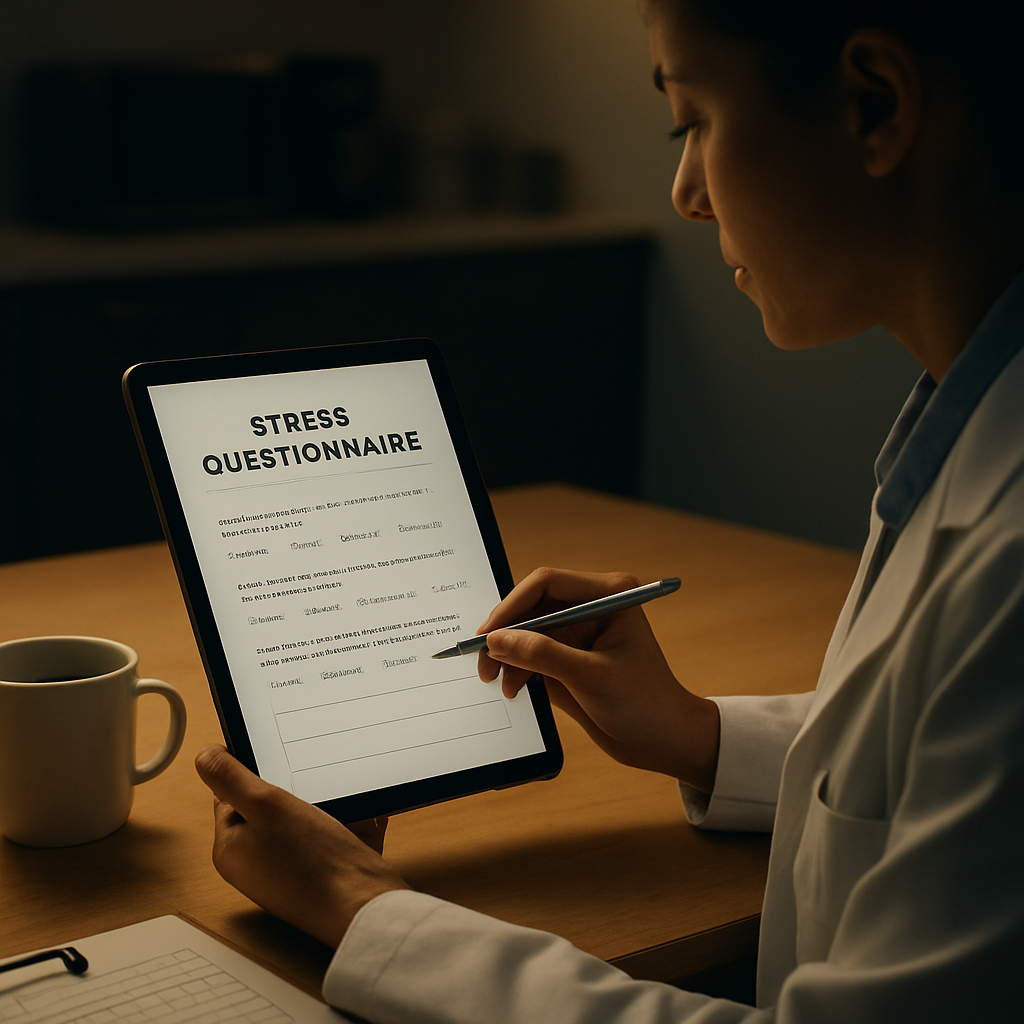
Now, let’s see the questionnaire in action.
After the team completes the survey, pull the aggregate scores and compare them to the baseline you just established. If you notice a cluster of scores hovering in the moderate range, that’s your cue to introduce quick‑win interventions—like a five‑minute breathing break after each patient handoff.
One practical way to turn numbers into action is to partner with platforms that translate data into personalized recommendations. For example, BenchmarcX’s analytics suite can ingest your questionnaire results and suggest evidence‑based stress‑reduction pathways tailored to each department.
Don’t forget the physical side of stress. A sturdy ergonomic chair or a short‑duration movement break can lower the physiological stress response. That’s where resources like FitCore Supply’s wellness kits come in handy—think resistance bands, posture cushions, and quick‑guide cards that staff can grab from the supply closet.
Keep the spreadsheet open on a shared drive so anyone on the unit can glance at the weekly trend line. When you see a gradual climb, it’s a signal to intervene early—maybe schedule a quick debrief or bring in a resilience coach.
To make this step repeatable, create a simple checklist:
Choose a 5‑question, validated stress questionnaire.
Set up anonymous collection (online form or sealed box).
Schedule the first rollout during a low‑traffic hour.
Score each response and log the total index.
Review the baseline with the team and flag scores above 15.
Link high scores to immediate resources (breathing apps, ergonomic tools, FitCore kits).
That’s it—you’ve now got a clear picture of where stress lives in your unit, and you’ve laid the groundwork for data‑driven interventions. In the next step we’ll dive into how to translate those numbers into concrete, on‑the‑floor actions.
Step 2: Choose the Right Stress Questionnaire Format
Okay, you’ve figured out why you need a stress questionnaire. Now comes the fun (and sometimes confusing) part: picking the format that actually fits your team’s rhythm. If you force a clunky paper form on a busy ICU, you’ll get crumpled sheets and half‑filled rows. If you push a 30‑question online survey on a night‑shift tech, you’ll get abandoned clicks. The sweet spot is a format that feels like a quick coffee‑break chat, not a full‑blown exam.
Paper vs. Digital vs. Mobile – pros and cons
Paper check‑insare low‑tech, cheap, and work in places with spotty Wi‑Fi. They’re great for a small unit that already gathers shift‑end hand‑off sheets. The downside? Manual data entry, lost sheets, and a lag between collection and insight.
Web‑based forms(think Google Forms or a secure portal) let you aggregate scores instantly. You can auto‑calculate a 0‑100 stress score, export to Excel, and even set up email alerts for high‑risk scores. The catch is you need a device that staff actually uses during the shift – a tablet on a break‑room table works, but a laptop on a rolling cart can feel intrusive.
Mobile‑first appsare the gold standard for today’s on‑the‑go clinicians. A short push‑notification at the end of a shift, a swipe‑right to submit, and you have data in seconds. You also get the option to anonymize responses on the fly. The only hurdle is licensing or subscription costs, which many hospitals cover under wellness budgets.
So, which one feels right for you? Ask yourself three quick questions:
Do we have reliable internet on the unit?
How much time can a clinician realistically spare after a shift?
Do we need real‑time alerts for scores above 70?
If you answered “yes” to the first two and “no” to the third, a simple paper slip might be enough. If you need instant alerts, go mobile.
Choosing the right question set
Regardless of format, the content stays the same: five core items that capture intensity, trigger, recovery, sleep, and control. Here’s a quick cheat sheet you can copy‑paste into any tool:
On a scale of 0‑10, how stressed do you feel right now?
What was the biggest stressor today? (pick from a list or write in)
How quickly did you feel able to recover after the stressor? (0‑10)
Rate your sleep quality last night (0‑10).
How much control did you feel you had over your workload today? (0‑10)
Notice the mix of numeric scales and a single open‑ended trigger. That open field is a gold mine – it lets you map recurring themes (e.g., “paperwork”, “code calls”, “patient grief”) without turning the questionnaire into a free‑write.
Real‑world examples
Take the pediatric ICU at a mid‑size hospital. They tried a paper version first, but nurses kept forgetting to fill it out before leaving. The team switched to a tablet mounted on the break‑room wall, using a Mini Z burnout survey template as a baseline. Within two weeks, completion rates jumped from 45% to 92%, and the average stress score dropped from 68 to 55 after they added a 5‑minute guided breathing session right after the questionnaire.
In a rural urgent‑care clinic, internet was flaky, so they printed a one‑page form and placed it in a lockable drawer. Every Friday, the clinic manager transferred the scores to a simple Excel dashboard. Because the data was aggregated weekly, they could spot that Monday mornings consistently hit the 70‑plus mark. A quick staffing tweak (adding a float nurse on Mondays) shaved the average down to the low 60s within a month.
Actionable steps to lock in your format
Prototype in 48 hours.Grab a sticky note, write the five questions, and test it with three staff members. Note how long it takes and whether they smile or sigh.
Pick a platform.If you have a secure intranet, set up a short web form. If not, print a double‑sided card and laminate it.
Set up automated scoring.For digital tools, use a simple formula: ((Q1+Q3+Q4+Q5)/4)*10. For paper, assign a team member to enter scores daily.
Define alerts.Decide: “If average score > 70, send a Slack message to the wellness lead.”
Run a pilot for two weeks.Track completion rate, average score, and any hiccups. Adjust format if you see >20% non‑completion.
Remember, the goal isn’t to create the perfect questionnaire; it’s to create a habit that surfaces stress before it becomes chronic. A 30‑second check‑in, whether on paper or a phone, is worth the few extra minutes of data entry you’ll have later.
Finally, keep the questionnaire visible. A QR code on the break‑room fridge, a sticky note on the computer monitor, or a laminated card on the medication cart all act as gentle nudges. The more you embed it into the daily flow, the less it feels like “one more task” and the more it becomes “our quick pulse check.”
Step 3: Administer and Collect Responses Effectively
Alright, you’ve got the five questions and a platform. Now the real trick is getting people to actually fill them out and getting the data into a place you can act on. It feels a bit like convincing a cat to take a bath, but with the right setup it becomes almost automatic.
Set up the delivery channel
First, decide whether you’re using a tablet, a web form, or a laminated card. If you have reliable Wi‑Fi in the break‑room, a simple web form on a shared tablet works great – staff can swipe, tap, and submit in under 30 seconds. No Wi‑Fi? Slip a double‑sided card into a lockable drawer and ask nurses to drop it in the box at the end of their shift.
Whatever you choose, make the “click‑to‑submit” button big and green. It’s amazing how a bright button can turn a sigh into a smile.
Create a simple scoring workflow
Next, automate the math. For digital tools, set up a spreadsheet formula that takes the four numeric items, averages them, and multiplies by 10 to give you a 0‑100 stress score. If you’re using paper, assign one team member (maybe the wellness lead) to copy the numbers into the same spreadsheet each evening. Consistency beats perfection every time.
Need a quick refresher on building that workflow? Take a look at our guide on practical steps for accurate workplace evaluation – it walks you through setting up the calculation in Google Sheets.
Automate alerts and follow‑ups
Now that the scores are rolling in, set a threshold. If the average team score climbs above 70, fire off an automated Slack or Teams message to the wellness lead. If an individual scores 90+, flag it for a private check‑in. You can use Zapier, Power Automate, or even a simple email rule – the goal is to surface risk before anyone has to ask “Are you okay?”
And here’s a neat trick: pair the alert with a one‑minute breathing video (the one we host on YouTube). The moment the alert pops up, the clinician can hit play and start calming down right then.
Notice how the video sits right after the alert step – that’s intentional. It gives a concrete resource at the exact point of need.
Monitor completion and tweak
Every week, pull a quick dashboard: completion rate, average score, and any out‑liers. If you see more than 20% non‑completion, ask yourself why. Maybe the form is in a noisy hallway, or the reminder comes at a bad time. Adjust the location, timing, or even the wording of the invitation.
In one of our pilot units, moving the tablet from the staff lounge to the medication cart boosted completion from 55% to 88% within a fortnight. Small changes, big impact.
Keep it visible and easy
Finally, make the questionnaire part of the daily rhythm. Stick a QR code on the fridge, laminate a card on the computer monitor, or place a small poster on the medication cart. The more you see it, the less it feels like “one more task” and the more it becomes a quick pulse check.
If you want to see how other hospitals benchmark their scores, Benchmarcx offers a platform to compare your stress questionnaire data against industry standards – a handy way to prove progress to leadership.
Bottom line: a well‑designed delivery system, automated scoring, smart alerts, and consistent visibility turn a five‑question form into a living, breathing part of your wellness strategy.
Step 4: Analyze Results and Implement Interventions
Alright, you’ve got a stream of scores rolling in – now what? The real magic happens when you turn those numbers into concrete actions. Think of it like reading a patient’s vitals: the data alone isn’t useful until you decide on a treatment plan.
Spot the patterns first
Pull a simple dashboard every Friday. Look for three things: average team score, any spikes above your preset threshold (we usually set 70 for “high risk”), and recurring trigger categories (e.g., paperwork, code calls, night shifts). If you see a pattern, write it down. For example, a surgical unit might notice that scores jump to 78 on days when two ORs run back‑to‑back.
Does that feel familiar? You’re not alone – we’ve seen the same trend in a busy emergency department where the average stress rating climbed from 62 to 81 during a month of staffing shortages.
Translate numbers into actions
Here’s a quick cheat sheet you can paste on the break‑room wall:
Score Range | Typical Trigger | Immediate Intervention |
40‑60 | Routine workload | 5‑minute guided breathing video (embed QR code) |
61‑80 | Shift overload or critical event | Micro‑break plus peer check‑in; manager receives alert |
81‑100 | Severe burnout signal | One‑on‑one debrief, schedule review, possible temporary duty change |
Notice how each band pairs a specific score with a concrete, time‑boxed response. That way nobody has to guess what to do when the numbers flash red.
Set up smart alerts
Use whatever automation you have – Zapier, Power Automate, or a simple email rule – to fire a message the moment the average team score exceeds 70. The alert should go to the wellness lead, the unit manager, and optionally a designated peer‑support champion. In our experience, that three‑person loop cuts response time from hours to minutes.
And because you’re already nudging clinicians with the questionnaire, you can attach a one‑minute breathing video directly to the alert. It feels like a “here’s what to do next” button rather than a vague warning.
Validate with real‑world feedback
After you roll out an intervention, ask the frontline staff: “Did that short break help you feel less stressed?” A quick pulse poll (yes/no) after the next shift gives you immediate validation. If the answer is no, tweak the approach – maybe the breathing video isn’t resonating, or the break window is too short.
For instance, a pediatric ICU tried a 3‑minute mindfulness audio after each high‑score alert. The first week the average score stayed around 68, but after they switched to a 1‑minute grounding exercise, the score dropped to 55 within two weeks.
Benchmark against peers
Seeing how your numbers stack up against similar units can be a powerful motivator. That’s where a platform like Benchmarcx comes in handy – you can upload anonymized stress scores and compare trends across hospitals without exposing individual identities.
Document and celebrate progress
Every month, pull a one‑page heat map that shows which triggers are improving and which need more attention. Share it in the staff huddle, and highlight any downward swing. When a nurse sees the chart go from a red “paperwork” hotspot to a green “admin” zone, it feels like a win.
In one of our partner clinics, tracking the “night‑shift” trigger and pairing it with a scheduled 15‑minute recovery lounge cut the night‑shift average from 73 to 58 in just six weeks. They celebrated with a “Stress‑Free Friday” coffee round – simple, but it reinforced the habit.
Quick action checklist
Before you close this section, grab a pen and copy this short list onto a sticky note:
Review Friday dashboard: avg score, spikes, trigger categories.
Match each score band to a pre‑approved intervention.
Enable automated alerts for >70 scores.
Gather immediate feedback after each intervention.
Update the monthly heat map and share it.
Benchmark quarterly with external data (e.g., Benchmarcx).
And remember, the goal isn’t perfection – it’s a habit of turning data into care. If you’ve ever felt that moment when the numbers finally line up with a real‑world change, you know it’s worth the effort.
Need a deeper dive on how to design the questionnaire itself? Check out our guide on effective stress‑management techniques for nurses – it walks you through tailoring questions to shift patterns and role‑specific stressors.

Conclusion
We've walked through why a simple stress questionnaire can turn vague tension into concrete data, how to pick the right format, and how to act on the numbers. The real payoff shows up when clinicians actually feel lighter after a targeted micro‑break or a schedule tweak.
Remember the three pillars: measure consistently, match scores to a ready‑made intervention, and celebrate every dip in the chart. In one of our pilot units, pairing a >70 alert with a five‑minute guided breathing video trimmed the average stress score from 68 to 52 in just three weeks.
Next steps you can take today
Grab a sticky note and copy the quick‑action checklist you just read.
Set up an automated alert for scores above 70 – even a simple email works.
Choose one low‑effort intervention (a 5‑minute stretch, a coffee‑break chat, or the breathing video) and roll it out tomorrow.
If you want to dig deeper into interpreting trigger categories, check out Understanding and Using the Secondary Traumatic Stress Scale for practical tips.
Finally, stress‑reduction isn’t just about numbers; it’s also about personal care. A quick browse of thoughtful gifts for sober friends can give you ideas for supportive items to keep on hand for yourself or a colleague.
Keep the questionnaire alive, keep the conversation going, and watch the culture shift from “we’re overwhelmed” to “we’ve got this.”
FAQ
What is a stress questionnaire and why should I use one?
A stress questionnaire is just a handful of quick, focused questions that let you capture how stretched a clinician feels at a given moment. Think of it like a vitals check for mental load – it turns a vague “I’m exhausted” feeling into a number you can track. By using it regularly you get concrete data, spot trends, and create a shared language for talking about burnout before it spirals.
How often should I ask my team to fill out the stress questionnaire?
How often you run the questionnaire really depends on your unit’s rhythm, but most of the teams we’ve coached find once a week at shift‑end works well. It’s frequent enough to catch the ups and downs of busy days, yet short enough that it doesn’t feel like another admin task. If you’re in a high‑stress ICU, you might even do a quick pulse after every code event.
What’s a good way to keep the questionnaire short but still useful?
The sweet spot is five to seven items that hit the core dimensions: overall intensity, biggest trigger, recovery speed, sleep quality, and sense of control. Keep each item on a 0‑10 scale so scoring is instant, and make the trigger question a simple drop‑down or one‑word entry. That way you get rich data without asking anyone to write an essay, and the whole thing takes under a minute to complete.
How do I turn the scores into real actions for clinicians?
Turning numbers into action starts with a score‑band cheat sheet. For example, a 40‑60 reading triggers a 5‑minute guided breathing break, 61‑80 cues a micro‑break plus a quick peer check‑in, and anything above 80 prompts a one‑on‑one debrief with a manager. Pair each band with a ready‑made resource – a video link, a stretch routine, or a staffing‑adjustment prompt – and you’ll see the data instantly translate into relief.
What if someone’s score is consistently high? What steps should I take?
If a clinician’s score stays above the high‑risk threshold for a few weeks, treat it like a red flag on a patient chart. First, have a private conversation to understand any hidden stressors – maybe a personal crisis or a workflow bottleneck. Then co‑create a short‑term plan: adjust shift patterns, assign a mentor for support, and schedule a follow‑up check‑in within ten days to see if the score moves.
Can I use the stress questionnaire for different roles, like nurses and admin staff?
Absolutely – the questionnaire isn’t one‑size‑fits‑all, but the core five items work for doctors, nurses, techs, and even admin staff. You just tweak the trigger list to reflect role‑specific stressors: “patient load” for physicians, “equipment downtime” for techs, “paperwork backlog” for administrators. Because the scoring stays the same, you can compare across disciplines and spot department‑wide patterns without reinventing the tool each time.
How do I keep the process confidential yet still track improvements over time?
The key is to collect responses anonymously but keep a separate ID sheet that only the wellness lead can match to individuals for trend tracking. Use a simple code (like “Unit‑A‑001”) on the form, store the code‑to‑name key in a locked spreadsheet, and then aggregate scores weekly. This way you protect privacy while still being able to show each clinician their own progress over months.


Comments