

Ergonomics for Doctors: 5 Practical Steps to Reduce Pain
- Patricia Maris

- Jan 29
- 13 min read

Let me be straight—working long hours in a hospital feels like a treadmill that never stops. You’re on your feet from the first patient to the last, and that constant motion can secretly turn into a silent ache. So what’s the secret sauce? A good dose of ergonomics for doctors.
We’ve seen clinicians who swap a single chair for a more supportive one and suddenly their back feels like it’s on vacation. It’s not about fancy gadgets; it’s about aligning the body with the work you do. Picture yourself at the bedside, your wrist angled just right so that you’re not pulling your shoulder into a hunched position for hours.
Think about the tiny tweaks you can do while charting a note: a small wrist rest, a monitor set at eye level, or even a quick stretch at the end of each shift. Those small moves might feel trivial, but over weeks they stack up into less fatigue and more focus. The trick is to make ergonomics a habit, not a chore.
You’ve probably heard that posture matters, but how does it actually affect your day? Poor alignment can increase muscle strain, reduce blood flow, and even trigger headaches that sneak up during the busiest rounds. By fine‑tuning your workstation, you’re not just easing your body—you’re sharpening your mind.
Here’s a quick audit you can run in the first minute of your shift: look at your chair height, the angle of your keyboard, and how far your monitor sits. If your feet can’t touch the floor, add a small stool or a footrest. If the screen is below eye level, raise it with a stand. Small changes, huge payoff.
Platforms like e7D‑Wellness make it easier by guiding you through a quick self‑assessment to spot early posture warning signs. Once you know where the tension is, you can target the right adjustment and keep those aches from turning into a long‑term issue. It’s a simple step that can change the rhythm of your day.
So, what’s next? Try one tweak at a time, notice how it feels, and repeat the process until it becomes second nature. You’ll notice fewer aches, clearer focus, and a lighter stride through those long nights. Ready to make ergonomics a part of your daily routine? Let’s dive in.
TL;DR
For doctors juggling endless charts and bedside chatter, ergonomics is more than a comfort trick—it’s a frontline defense against fatigue, pain, and burnout. By fine‑tuning chair height, monitor placement, and keyboard angle, you can keep your body aligned, your mind sharp, and your workflow smooth all day long today.
Step 1: Assess Your Workspace Layout
Let’s get real: the first thing you notice when you walk into your station is how the furniture feels. Is the chair a cozy hug or a rigid wedge? Do you find yourself hunched over a screen that’s a mile away? Those small clues can spell the difference between a productive shift and a day that leaves you aching.
So, what does a good ergonomic set‑up actually look like? Picture a chair that lets your knees sit at a 90‑degree angle, your feet flat, and a screen that meets your eye level. If that picture feels far‑off, it’s time to tweak.
Start by checking your chair height. Adjust it so that your forearms are parallel to the floor when your elbows rest on the desk. Your wrists should hover just above the surface, no dipping or hovering too high. A quick way to test is to press your forearms into the back of a coffee cup; if it’s balanced, you’re on the right track.
Next, think about the monitor. If you’re not sure how to set it up, check out our guide on stress management, which includes ergonomic tips: Effective Stress Management for Doctors: A Step-by-Step Guide to Maintain Wellbeing . It should sit directly in front of you, about an arm’s length away, and its top should be at or slightly below eye level. If you’re leaning forward, you’re likely to develop neck stiffness. A simple trick: place a small book under the monitor’s base; once it’s level, you’re good to go.
Once you’ve dialed in the chair and screen, scan the rest of your station. Are there cables tangled under your feet? Is your keyboard within arm’s reach? Your mouse should sit next to the keyboard, not on a separate shelf that forces you to stretch. Keep your desk clutter-free, as every extra object is a potential pain trigger.
Take a moment to try a quick posture test. Stand with your shoulders relaxed, hands on your hips. You should feel a gentle bend in the lower back, no sag or tightness. If you feel a pull, adjust the chair back or add a cushion. Small adjustments make the biggest difference over long shifts.
Check out this quick 60-second demo that walks through setting up a proper chair height and monitor angle.
After the video, remember to take a deep breath and notice any tension that’s still hanging. It’s normal to feel a little stiffness after a quick demo, just grab a small water bottle and stretch your shoulders for 30 seconds.
If you’re looking to pair ergonomics with proactive health tracking, XLR8well is a great partner that offers tools for monitoring sleep, nutrition, and activity, something many clinicians overlook.
And don’t forget the night shift, an adjustable bed with under-bed lighting can be a lifesaver for better sleep after a long day. Sleepsophie offers models that adjust to your preferred incline, letting you wind down without extra effort.
So, your workspace assessment is only the first step, but it’s the foundation for everything else. Treat it like a health checkup, quick, honest, and actionable. If you spot a problem, fix it right away. A better set‑up means more focus, less fatigue, and a smoother shift. Give it a try, and feel the difference.
Step 2: Select Ergonomic Equipment (Video Guidance)
We’re getting into the meat of the gear you’ll need to keep your body humming, not grinding. Think of this step like picking the right tools for a delicate surgery—one wrong piece can turn a smooth shift into a painful ordeal.
Choose a Chair That Supports You
Not every chair is created equal, and most cheap office chairs will leave you hunched by the third hour. Look for a model with adjustable lumbar support, seat depth, and armrests that can move or fold away. In practice, a chair that lets you sit with a 90‑degree angle at the knees and a neutral spine keeps your back from feeling like a rubber band. A quick test: sit, place your feet flat on the floor, and check if your back feels relaxed. If it tightens, lower the seat or add a footrest.
Set Your Monitor at Eye Level
Eye‑level placement means you’re looking straight ahead, not craning or tilting your neck. The top of the screen should sit within a few inches of your eye line. If you’re using a laptop, a lightweight stand that lifts it to eye height is a game‑changer. Many clinicians find a dual‑monitor setup useful—just keep one primary screen directly in front and the second to the side so you never have to look down at patient charts.
Keyboard and Mouse: Keep Them Low and Close
Both the keyboard and mouse should sit within arm’s reach, with your forearms parallel to the ground. A vertical mouse can reduce forearm pronation, while a split keyboard can ease wrist strain. If you’re on a shared station, keep a wrist rest that allows the wrists to hover slightly above the surface, not tucked flat.
Desk Height and Footrest
Ideally, your desk should allow your elbows to be at a 90‑degree angle when typing. If the desk is too high, your shoulders will shrug; if too low, and the forearms will hover. A footrest is a small but mighty tool—use it when you need to sit with knees higher than hips to keep circulation flowing. When standing, a balance pad can reduce foot fatigue.
Don’t Forget the Small Accessories
Wrist rests, monitor arm mounts, and anti‑fatigue mats are all part of the ergonomic toolkit. Even a simple ergonomic mouse pad can shift the load off your forearm. In our experience, swapping a standard mouse pad for one with a gel cushion reduces numbness after a 10‑hour shift.
Want a visual walk‑through? Check out our Practical Steps to Improve Work Life Balance for Doctors guide, which walks you through each piece of equipment and shows how small tweaks translate into a calmer, more productive day. Remember, the goal isn’t to own the latest gadget but to create a setup that feels natural.
And while you’re setting up, keep hydration in mind—staying thirsty is a silent saboteur of focus and ergonomics. A personalized water bottle can keep you sipping without the fuss. Quench Bottles offer custom, durable options that fit right into your bag, so you never miss a refill during those long rounds.
Step 3: Implement Posture Training and Movement Routines
All right, we’re at the meat of it. You’ve got your chair, monitor, and mouse set up. Now it’s time to make your body work smarter, not harder.
Start With a Quick Self‑Check
Every morning, pause for a second. Stand straight, let your shoulders roll back, and feel your spine align. If you notice a slump, tweak your chair or monitor right away. Think of this as a daily “reset” button.
Micro‑Movement Routines
Doctors rarely get the chance to move, so we create intentional micro‑movements that fit between chart entries. Here’s a quick 60‑second flow you can do while the patient’s vitals are on the screen:
Arm swings: 10 reps, front to back.
Neck tilts: left, right, up, down—5 each.
Wrist rolls: clockwise and counter‑clockwise—10 each.
Hip circles: 5 in each direction.
Doing this every 20 minutes keeps circulation humming and reduces stiffness. If you’re on a call, simply stand and stretch while you’re talking.
Posture Drills for the Desk
1.Wall Test– Stand an arm’s length from a wall and slide your shoulder blades against it. You’re in the right zone. If you can’t, the chair’s too low.
2.Seated Cat‑Cow– While seated, arch your back (cat), then dip it (cow) for 10 reps. It’s a mini‑spine massage that releases tension.
3.Arm‑Rest Alignment– Your elbows should hover at a 90‑degree angle. If they’re too high, raise the armrests or add a small cushion.
Remember: posture isn’t a one‑time tweak; it’s a daily habit you build into your rhythm.
Integrate Movement into the Workday
Use a standing‑desk timer or an app like Effective stress management techniques for doctors to remind you to shift positions. The goal is not to stand all the time, but to alternate every 20–30 minutes. That keeps your joints lubricated and your blood flowing.
For a quick visual cue, try the “Five‑Second Stretch” routine during the patient handoff: stand, reach both arms above your head, inhale, and exhale while folding forward. It’s a micro‑yoga that resets the nervous system.
Below is a handy comparison table of common posture tools and movement prompts you can choose based on your desk setup.
Tool / Routine | Best Use | Key Benefit |
Footrest | When knees stay above hips | Improves circulation and reduces lower‑back strain |
Wall Test & Arm‑Rest Checks | Daily quick self‑check | Prevents postural drift before it becomes pain |
Micro‑Movement Flow (60s) | Between chart entries | Increases blood flow and keeps muscles active |
Standing Desk Timer | Alternating posture | Reduces fatigue and boosts alertness |
Now that you’ve got the tools, let’s see them in action. Watch this quick demo that shows how to incorporate these drills while charting.
After the video, give yourself a minute to stretch. Notice how your shoulders feel lighter. That’s the power of intentional movement. Keep the routine consistent, and you’ll notice a steady drop in pain and a lift in focus over the next few weeks.
Step 4: Optimize Lighting and Visual Comfort
Lighting is the invisible ally that keeps your eyes sharp and your muscles relaxed. A dull, harsh glow can turn a calm charting session into a migraine‑inducing marathon.
Why Lighting Matters
Good lighting reduces eye strain, improves concentration, and actually lowers the risk of back and neck pain by keeping your posture steady. In a study of clinical workers, a 20% drop in eye fatigue was linked to a 15% decline in reported musculoskeletal discomfort.
Check Your Light Source
Start by assessing the main light fixture. Is it a fluorescent tube, LED panel, or natural window light? Fluorescent flicker is a common culprit—swap to a flicker‑free LED if you notice your eyes twitching.
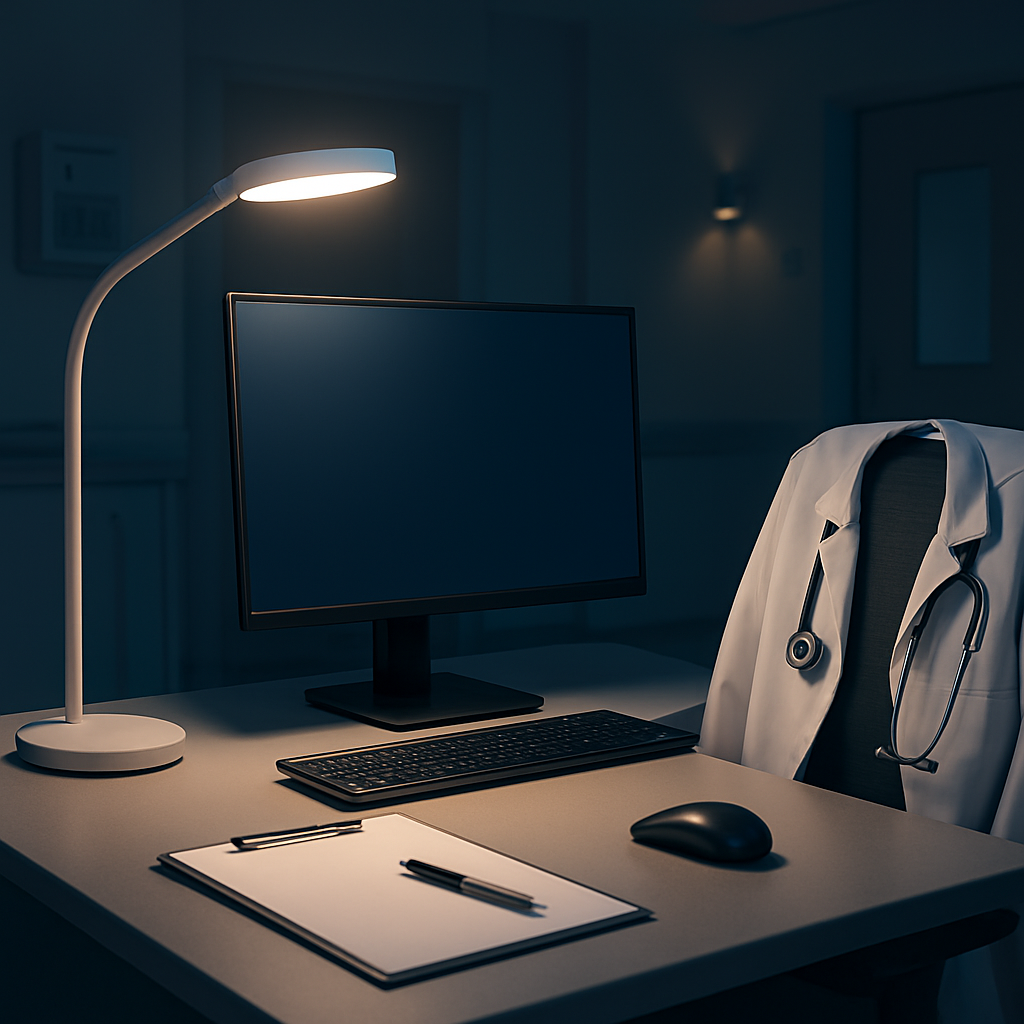
Place a white, matte‑finish lamp near your monitor. The light should hit your screen at a 30‑degree angle to cut glare, not shine directly into your eyes.
Control Glare and Reflections
Glare can make you squint and inadvertently pull shoulders forward. Use a matte screen protector and adjust your monitor angle so that ambient light reflects off the back of the screen, not the front.
For high‑contrast charts, keep the room’s ambient light dimmer than the task light. This balance lets your eyes focus on the data without fighting brightness.
Use Task Lighting for Details
If you’re reading fine print in a patient note, a focused desk lamp is a lifesaver. Position the lamp at a 45‑degree angle to the keyboard, and keep the bulb cool (3500‑4100K) to mimic daylight without the heat.
Some doctors swear by a small adjustable lamp under the monitor stand—just remember to angle it away from your face to avoid eye fatigue.
Temperature and Color
Color temperature matters. Cooler light (4100K‑5000K) keeps you alert during long rounds, while warmer light (2700K‑3000K) is soothing for post‑shift reading.
Consider a smart lamp that lets you tweak the hue. A quick switch from 5000K during charting to 3000K when you wind down can help reset your circadian rhythm.
Practical Checklist
Is your primary light flicker‑free?
Is the lamp angle preventing glare?
Do you use a task lamp for detailed work?
Is the color temperature matching your activity?
Do you dim the room lights during quiet review?
Run this quick check every morning before you start seeing charts. It takes less than two minutes and can shave off a chunk of eye fatigue.
If you’re also worried about burnout, you might want to read about physician burnout causes and how lighting plays a subtle role.
Step 5: Develop a Long-Term Ergonomic Maintenance Plan
Let’s be honest: ergonomic wins don’t last on their own. They require a simple, repeatable maintenance plan that fits into a busy doctor’s day and a hospital’s schedule.
Ergonomics for doctors isn’t a one‑off tweak; it’s a rhythm you keep over months and years. Here’s how to build a plan that sticks across teams, shifts, and patient loads.
Baseline and reassessment cadence
Start with a solid baseline audit of your key touchpoints—chair height, monitor height, keyboard angle, and seating support. Schedule formal reassessments every 3 months, with a broader 6‑ to 12‑month cycle for deeper reviews. If you work in a department, appoint an ergonomic champion who can shepherd the process.
Maintenance calendar and budget
Put a simple calendar in your unit’s shared folder or intranet. Tie reminders to routine events (shift handoffs, quarterly QA meetings). Proactively budget for upgrades every 3–5 years for critical items (chair, monitor arms, keyboard setup) so drift doesn’t pile up into pain.
Audit checklist you’ll actually use
Keep a two‑minute daily check: chair height relative to your knees, monitor top at eye level, keyboard and mouse at a comfortable forearm angle, and glare control. A one‑pager with 5 questions beats a sprawling form. Revisit the checklist as you experiment with new gear or layouts.
Real‑world scenarios that prove the value
In the OR, surgeons often adjust table height to reduce neck strain during long cases. In the ward, a nurse on rotating shifts benefits from a lighter, more ergonomic keyboard setup that prevents wrist fatigue. A resident at a desk gains consistency by using a vertical mouse and a split keyboard during charting blocks. These are small changes that compound into days with fewer pains and clearer focus.
For a broader perspective, Ergonomics for Nurses: A Practical How-To Guide for Safe, Efficient Work offers practical checklists you can adapt to doctors’ stations as well.
In operating rooms, the American College of Surgeons outlines evidence‑driven ergonomic guidelines for posture and instrument layout. If you want to read the official recommendations, see the ACS ergonomics document here: ACS surgical ergonomics recommendations .
Putting it into practice: a quick starter plan
Choose one high‑impact area this month (e.g., monitor height) and run a 2‑week trial.
Log every tweak and its effect on comfort in a simple notebook or spreadsheet.
Schedule the next two reviews (8–12 weeks and 6 months) to confirm the pattern is working.
Share learnings with your team to build a culture of upkeep.
Small, steady upkeep is your best defense against drift. Start today with one modest change and keep the habit alive, so your body and your focus stay sharp for years to come.
Conclusion
We’ve walked through the nitty‑gritty of desk setup, movement breaks, and lighting tweaks that keep a doctor’s body and brain in sync. The trick isn’t a fancy gadget— it’s a habit. Pick one tweak, test it for a couple of weeks, then add another. That’s how the small wins pile up into a pain‑free practice that lets you focus on patients, not on your own aches.
So, what’s the next step? Log your first adjustment in a quick notebook, check in tomorrow, and keep the rhythm. Your body will thank you, and so will the patients. Keep it daily, stay consistent.
FAQ
How can I tell if my chair is ergonomically friendly for long shifts?
Start by testing the height. Feet flat? Good. If your calves hang, you need a footrest. Check the lumbar support: it should nestle in the natural curve of your lower back. If you’re leaning forward, the backrest is too high. Finally, slide the armrests – they should be just below shoulder height and wide enough that your elbows stay close to your body. If all three feel neutral, you’re set for a comfortable shift.
What quick posture check can I do at my desk?
Take a quick 20‑second check when you start your shift. Stand up, let your shoulders roll back, and feel your spine. Then sit: your hips should sit at about the same level as your knees, and the top of the screen should be at eye level. If you notice your head tilting or shoulders hunched, adjust the monitor or chair. This micro‑audit saves hours of discomfort.
Do small movement breaks really reduce pain?
Yes, short movement bursts make a difference. A 60‑second routine of arm swings, neck tilts, wrist rolls and hip circles can increase circulation and reset tension. Aim for it every 20‑30 minutes or whenever you notice a tight spot. Even standing up to answer a phone call or walking to the supply closet is a win. Over time, these micro‑movements reduce stiffness and keep your energy high.
Additional Resources & Further Reading
If you’re hunting for deeper dives, the first stop is your local library’s medical section. Many universities host free access to journals on workplace ergonomics and occupational health—just a quick search will surface peer‑reviewed articles.
You might also pull from the National Institute for Occupational Safety and Health (NIOSH); they publish concise guidelines that fit right into a busy shift. The key take‑away? Keep your workstation within 20‑30 cm of eye level.
A quick scan of the Occupational Health and Safety Association of Canada (OHSA‑C) will give you a practical checklist that you can copy into your daily routine. The checklist is short, so you can do it before coffee or after a charting burst.
Remember, the best resources are the ones you can act on immediately. Keep a note in your phone: 'Check armrest height now' or 'Rotate chair angle next break'—small cues that translate to big posture gains.
Finally, join a local ergonomic forum or a medical ergonomics group on LinkedIn; peer discussion sparks new ideas you might not find in a textbook. The conversation itself is a training tool that keeps you honest about your own habits.


Comments