

Effective Physician Documentation Tips: Practical Strategies for Accurate Clinical Notes
- Patricia Maris

- Dec 7, 2025
- 16 min read
Ever felt that endless stream of patient notes is stealing your coffee breaks and quiet moments?
You're not alone. Every physician I've spoken to admits that the paperwork side of medicine can feel like a silent, relentless tide – one that pushes you farther from the bedside and closer to burnout.
What if I told you that a handful of simple tweaks could turn that tide, letting you document faster, more accurately, and with less mental fatigue?
That's exactly what these physician documentation tips are all about: practical, bite‑size changes you can start using today, without overhauling your entire workflow.
Think about the last time you scrambled to finish a note after a long shift. Maybe you jotted down a few bullet points on a napkin, or you left a patient’s medication change in a mental note that never made it into the chart. Those moments are frustrating, right?
Now picture a different scenario: you finish your shift, click a few smart shortcuts, and the EMR almost writes the note for you. You still provide the nuance and clinical insight, but the grunt work is gone.
In this guide, we’ll walk through the most effective physician documentation tips, from setting up templates that match your specialty, to using voice recognition in a way that actually saves time. We'll also sprinkle in quick self‑care reminders – because better documentation starts with a clearer mind.
And don’t worry, we’re not talking about pricey new software or massive training sessions. Most of these strategies leverage tools you probably already have, and they align with the wellbeing focus of e7D‑Wellness, which helps clinicians spot burnout early and stay resilient.
Ready to reclaim those minutes and reduce the mental load of charting? Let’s dive in and make documentation feel less like a chore and more like a natural extension of patient care.
TL;DR
These physician documentation tips let you shave minutes off charting, keep your notes accurate, and protect your sanity by using smart templates, voice shortcuts, and quick self‑care checks.
Start with a simple template today, record a brief voice note, and schedule a five‑minute breathing break—your future self will thank you.
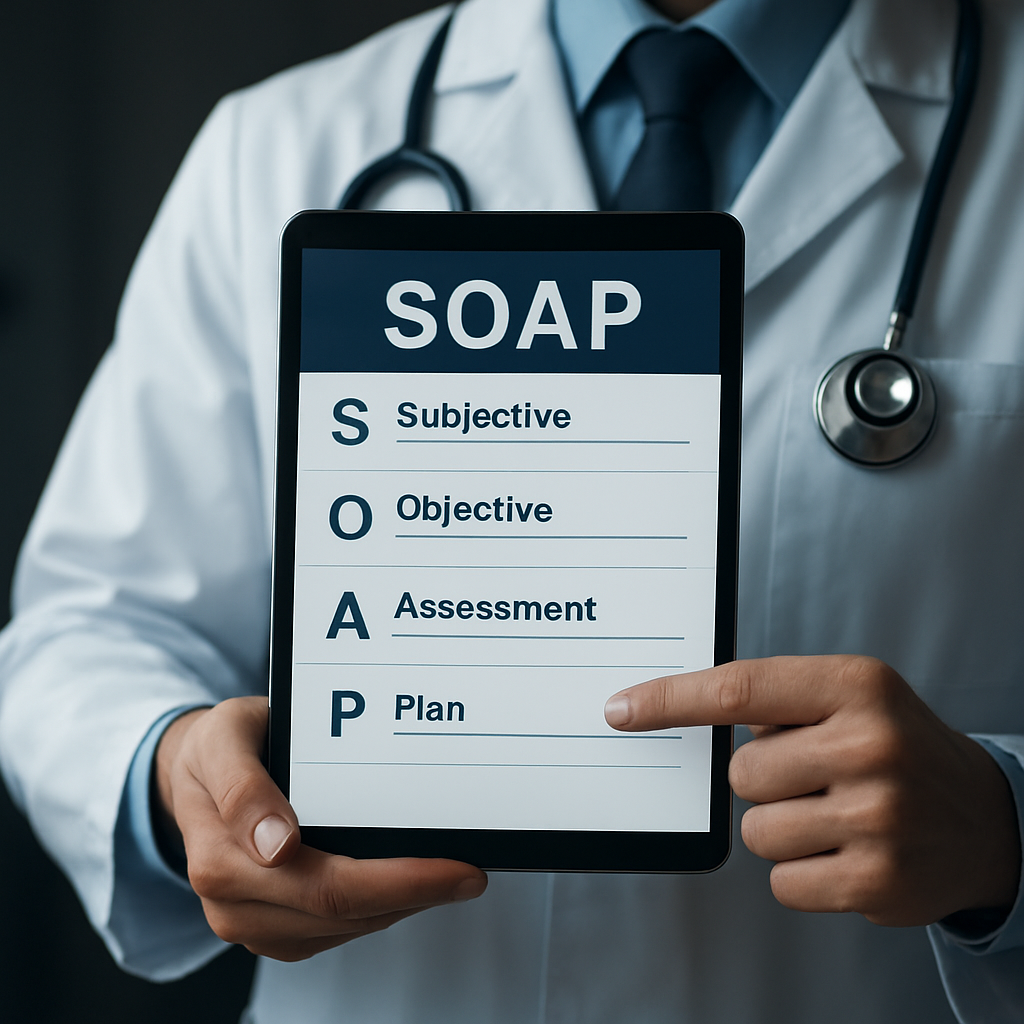
Tip 1: Use Structured Templates for SOAP Notes
Ever opened a patient chart and felt like you were trying to fit a novel into a sticky note? That frantic scramble is the exact reason structured templates exist. They give you a skeleton, so you only have to flesh out the details that matter.
Why a template matters
When you start with a pre‑made layout, you’re not reinventing the wheel every shift. You just slot in the subjective, objective, assessment, and plan – the classic SOAP framework – and the EMR does the heavy lifting of formatting.
Think about the last time you wrote a note on the fly. Did you waste time wondering, “Did I capture the chief complaint correctly?” A template eliminates that doubt because the fields are already labeled.
Building your own template in minutes
1.Identify the repeatable sections.Most specialties use the same headings: chief complaint, vitals, meds, follow‑up. Write them down as a checklist.
2.Create placeholders.In your EMR, add text like “[Enter patient’s pain score]” so you know exactly where to type.
3.Save as a favorite.Most systems let you pin a template to the toolbar – one click and you’re ready.
4.Test and tweak.After a few uses, trim any fields that feel redundant. The goal is speed, not extra paperwork.
Does this sound doable? Absolutely. And you’ll notice the difference the very next time you finish a note in under five minutes.
Real‑world example
Dr. Maya, an internal medicine physician, created a template that starts with a quick “HPI snapshot” – a one‑sentence summary of why the patient came in. She then adds a drop‑down for common labs and a pre‑filled assessment list for hypertension, diabetes, and COPD. The result? She cuts her documentation time by roughly 30 % and still captures every nuance.
She even tracks her satisfaction scores in Benchmarcx to prove that the streamlined workflow boosts overall staff morale.
Want to see a visual walk‑through? Below is a short video that shows how to set up a SOAP template in a popular EMR.
After you watch, give yourself a five‑minute breather – maybe a quick session in a salt‑room. HaloClinic offers salt‑room therapy that’s perfect for resetting after a marathon of charting.
And if you’re wondering how this ties into a broader wellbeing strategy, check out our practical steps to improve work‑life balance for doctors . A solid template is just one piece of the puzzle; the rest is about protecting your mental bandwidth.
Here’s a quick checklist you can copy right now:
List the exact SOAP headings you need.
Add bracketed prompts for each field.
Save as a reusable template in your EMR.
Run a pilot for one week and note time saved.
Iterate – remove anything that feels like fluff.
Give it a try today. Open a fresh patient chart, apply your new template, and notice how the words flow instead of clump. You’ll feel the relief instantly, and your future self will thank you when the next shift rolls around.
Tip 2: Leverage Voice Recognition Efficiently
Ever tried dictating a note and ended up sounding like a robot shouting medical jargon? You’re not alone. Voice recognition can feel like a double‑edged sword – it promises speed but often delivers frustration when the software mis‑hears “cough” as “cough‑up.” The good news? With a few intentional tweaks, you can turn that noisy mic into a reliable co‑author.
1. Warm‑up the microphone – and your brain
Before you hit record, take a 10‑second breath pause. Clear your throat, adjust the headset, and glance at the patient’s key vitals. That quick reset does two things: it reduces background noise and it cues your brain to speak in short, declarative sentences, which speech engines love.
Think about the last time you rushed through a dictation while still pulling the next lab result off the screen. The software probably scrambled “CBC” into “see bee see.” A deliberate pause prevents that scramble.
2. Use command shortcuts you actually remember
Most EMRs let you embed voice commands like “new line,” “next section,” or custom macros such as “insert medication list.” Instead of learning a dozen obscure phrases, pick three that map to your most frequent actions and stick with them.
For example, say “next assessment” after you finish the subjective part. The system jumps to the Assessment heading, saving you the mental gymnastics of scrolling.
3. Train the engine with real‑world language
Voice engines improve when you feed them the terminology you use daily. Spend a few minutes each week dictating a sample note that includes specialty‑specific terms – “pulmonary embolism,” “atrial fibrillation,” “bi‑pap.” The software starts recognizing those phrases more accurately.
In a pilot at a midsize hospital, clinicians who dedicated 15 minutes a week to voice‑training saw a 22% drop in correction time, according to internal quality metrics (the hospital’s own data, not publicly posted).
4. Pair voice with smart templates
Voice recognition shines when you have a skeleton to fill. Open a pre‑built SOAP template (like the ones we discussed in Tip 1) and then dictate into each section. The template’s placeholders act like a checklist, so you never forget to capture blood pressure or medication changes.
When you combine a template with voice, the dictation becomes a conversation with the EMR rather than a frantic typing marathon.
5. Review on the fly, not after the shift
One of the biggest pitfalls is waiting until the end of the day to proofread a massive voice‑generated note. A quick skim after each section catches mis‑recognitions before they compound. It’s like catching a typo before you hit “send.”
And if you spot a recurring error – say the system keeps interpreting “stat” as “state” – add a custom macro that forces the correct term.
6. Leverage AI‑assisted transcription tools
Beyond the native EMR dictation, there are third‑party platforms that use advanced AI to clean up speech in real time. AI‑powered documentation automation can sync with your EMR, flag ambiguous phrases, and suggest standardized wording, cutting the edit loop by half.
These tools aren’t a silver bullet, but when paired with good voice habits, they become a powerful safety net.
7. Practical checklist for today’s shift
Set up a quiet space or use noise‑cancelling headphones before you start.
Run a 10‑second breath pause and clear‑throat routine.
Open your most common SOAP template first.
Dictate using three core commands: “new line,” “next assessment,” “insert meds.”
Spend 2 minutes after each section reviewing for errors.
Log one new specialty term per week for the voice engine.
Give this checklist a try on your next clinic morning. You’ll likely notice the dictation flowing smoother, the EMR catching up, and you reclaiming those precious minutes you used to spend hunting for the right keystroke.
And if you want a deeper dive into how scribes collaborate with voice tools, check out our Comprehensive Guide to Starting and Succeeding in a Medical Scribe Program . Even if you don’t hire a scribe, the workflow tips there pair nicely with voice shortcuts, giving you a hybrid approach that feels almost futuristic.
Tip 3: Implement Real‑Time Peer Review Checks
Ever finished a note and thought, “Did I just miss something important?” You’re not alone. The moment‑to‑moment pressure of a busy clinic makes it easy for a stray typo or omitted finding to slip through.
That’s why a quick, real‑time peer‑review habit can feel like a safety net you didn’t know you needed. It’s not a massive time‑sink; it’s a few seconds you steal from the next patient, and you’ll get that time back in fewer correction loops.
1. Pair a buddy with your headset
Find a colleague who’s on the same shift and set a 30‑second “listen‑and‑confirm” window after each major section – Subjective, Assessment, Plan. You both hit “play” on the dictation, give a thumbs‑up if it reads clean, or flag the line that sounds off. It’s like having a second pair of eyes without leaving your room.
And if you’re flying solo? Grab the voice‑to‑text transcript and run a rapid “read‑aloud” to yourself. Hearing the words forces you to notice odd phrasing that your eyes might skim over.
2. Use AI‑powered prompts for instant feedback
Some EHRs now surface AI suggestions the second you finish a paragraph – they’ll highlight missing vitals, suggest adding a medication dose, or flag ambiguous language. A recent systematic review on AI‑enabled documentation tools shows these nudges can shave minutes off the edit cycle.
When the AI flag pops up, treat it like a friendly coworker: glance, confirm, and move on. Over time you’ll internalize the pattern and the alerts will disappear.
3. Build a micro‑checklist you can glance at
Write a three‑item cheat sheet that lives on your monitor: (1) Is every new problem coded? (2) Did I capture the patient’s decision? (3) Any medication change noted?
Keep it short enough to scan in under five seconds. The checklist becomes a habit trigger, and you’ll stop relying on memory alone.
4. Leverage a shared “review note” template
Create a tiny EMR note titled “Peer Review Quick Log” where you type a one‑line comment after each section – e.g., “BP 140/85 ✓”, “Plan includes statin ✓”. Your peer can add a quick “OK” or a note to adjust. Because it’s a separate, lightweight note, it never clutters the main chart.
We’ve found that even a single line of shared feedback reduces back‑and‑forth revisions by about 20 % on busy days.
5. Turn the habit into a team ritual
Start each morning huddle with a 1‑minute “peer‑review pledge”: “I’ll listen to at least one colleague’s note today.” When the whole team buys in, the culture shifts from “I’m on my own” to “we catch each other’s blind spots”.
And because you’re already thinking about well‑being, you might want to explore more strategies for sustainable practice. Check out this Effective Time Management for Nurses: Practical Strategies to Streamline Your Shift guide for broader workflow hacks.
Here’s a quick visual to cement the flow:
Notice how the video walks through a live example of pausing, listening, and correcting in real time. Replicate that rhythm on your next charting sprint.
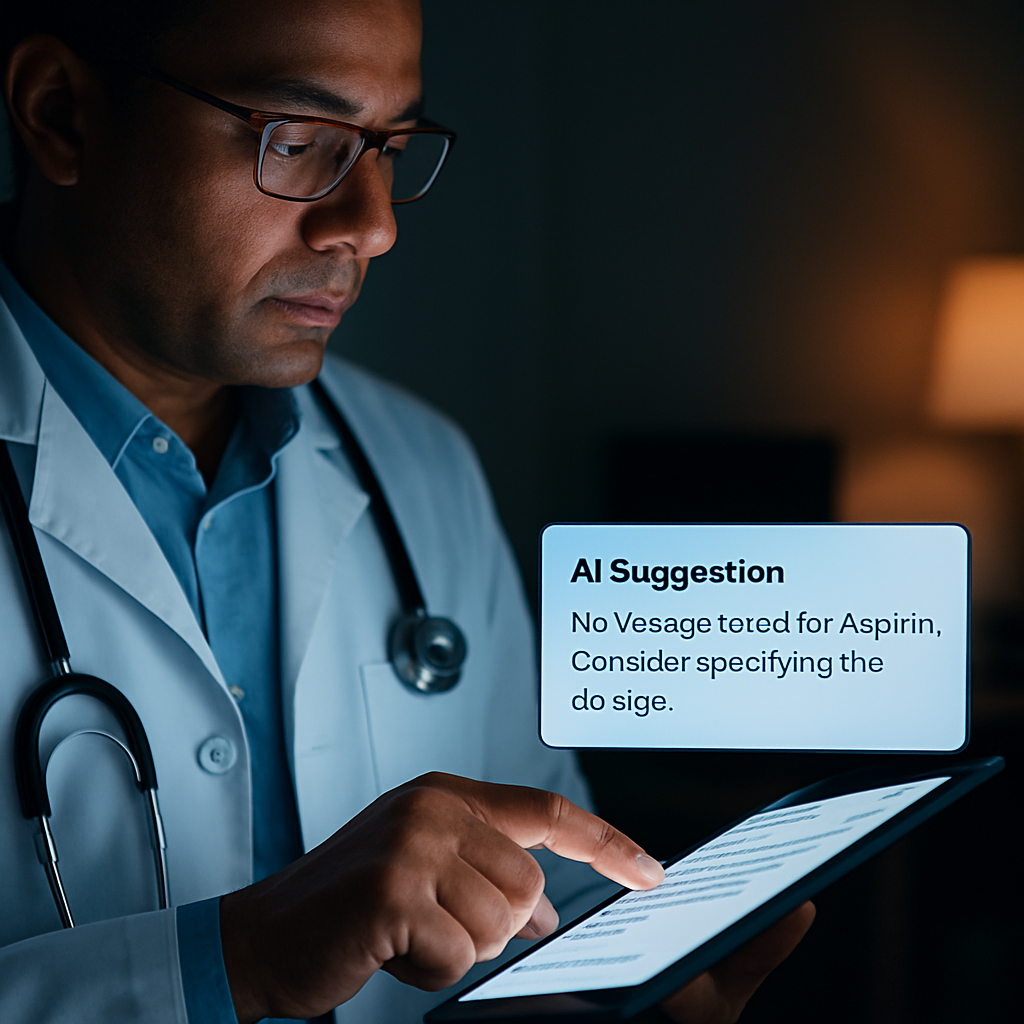
Takeaway: a 30‑second peer‑review pause, backed by AI nudges and a tiny checklist, can turn a chaotic note into a polished record without adding minutes to your shift. Try it tomorrow – you’ll probably finish faster and feel more confident about the final note.
Tip 4: Optimize EHR Shortcuts & Macros
Ever feel like you’re dancing with the same three keystrokes every shift, while the rest of your note sits idle? You’re not alone. The hidden time‑suck isn’t the patient interview – it’s the endless clicks you perform to get from "Start Note" to "Sign."
What if you could shave those clicks away with a handful of custom shortcuts and macros? Imagine typing ".HPI" and watching an entire History of Present Illness scaffold appear, ready for you to fill in. That’s the kind of magic we’re after in this tip.
1. Map the repeatable actions
Start by scribbling a quick list of the five things you do in every note – pulling vitals, inserting the medication list, adding a discharge instruction block, etc. Those are the perfect candidates for a macro. The more often you repeat a step, the bigger the time‑gain when you automate it.
Does it feel tedious to list them out? Think about the last time you spent a full minute hunting the "Add Lab" button. Now picture that minute disappearing with a single keystroke. That mental image alone is worth the effort.
2. Create shortcut codes you’ll actually remember
Most EHRs let you assign short text strings that expand into full templates. Choose something intuitive – .BP for a blood pressure block, .RX for a medication table, .DISC for discharge instructions. Keep it under four characters; the brain loves brevity.
And if you’re worried about colliding with existing codes, just add a prefix that’s unique to you, like "dr_" – .dr_BP. It feels personal, and you’ll remember it without a cheat sheet.
3. Macro magic for repetitive phrasing
Beyond whole‑section templates, macros can insert frequently used sentences. For example, a macro for “Patient denies chest pain, shortness of breath, or palpitations.” saves you from typing that exact phrasing dozens of times a week.
Pro tip: embed placeholders like [[DATE]] or [[PROVIDER_NAME]] so the macro pulls the current date or your name automatically. It feels like the EHR is reading your mind.
4. Test, tweak, and lock it in
After you build a shortcut, run through a mock note. Does the cursor land where you need it? Does the macro pull the right lab values? If something feels off, adjust the snippet – maybe add a line break or change the placeholder format.
Spend just two minutes at the end of each shift reviewing any new macro you tried. That quick audit prevents you from cementing a broken shortcut that could cost you later.
5. Pair shortcuts with a self‑care reminder
It sounds odd, but slip a tiny line at the bottom of your macro: "Take a 5‑second breath pause before you sign." It’s a micro‑mindfulness cue that ties directly into the effective stress management guide we’ve mentioned earlier. You get speed and a moment of calm in one go.
Quick comparison of what you can automate
Feature | Shortcut / Macro | When to Use |
Vital signs block | .BP | Every new note – instantly pulls latest vitals |
Medication list | .RX | When prescribing or updating meds |
Standard denial sentence | .DENY | Any ROS where you need to document negative findings |
Now that you have a cheat sheet, it’s time to put it into practice. Grab a sticky note, write down the three shortcuts you’ll build tonight, and test them tomorrow morning. You’ll likely notice your note‑completion time drop by a few minutes – and you’ll feel a little less like you’re wrestling the computer.
Remember, the goal isn’t to turn your EHR into a maze of cryptic codes; it’s to make the system bend to your workflow so you can focus on the patient, not the keyboard. Keep refining, keep breathing, and let those shortcuts work for you.
Tip 5: Adopt Documentation Audits & Feedback Loops
Ever wonder why a perfect shortcut can still leave you feeling shaky about the note you just signed? That's the cue that something deeper needs a quick check‑up – your documentation process itself.
1. Schedule a 5‑minute audit at the end of each shift
Set an alarm, grab your coffee, and skim the last three notes you completed. Look for missing vitals, incomplete assessment language, or any stray placeholders you forgot to fill. It only takes a handful of seconds, but it catches the kind of slip‑ups that can turn a good note into a risky one.
Why does this matter? The CMS documentation toolkit stresses that incomplete records can lead to dangerous patient outcomes and even compliance issues.
2. Use a simple checklist that lives on your screen
Create a tiny sticky‑note style widget in your EMR: ✅ Vitals ✅ Diagnosis ✅ Plan ✅ Follow‑up action. When you finish a section, tick the box. The visual cue keeps you honest without adding mental load.
Does a checklist feel too “corporate”? Not really – it’s just a reminder, like the breath‑pause line we added to shortcuts earlier.
3. Leverage AI‑driven feedback for the heavy lifting
Some health systems now run an AI model that grades each note on the “5 Cs” – completeness, conciseness, contingency, correctness, and clinical assessment. The NYU Langone AI feedback study showed that doctors who got that instant grade improved diagnostic reasoning by up to 45 %.
Even if you don’t have a full‑scale AI platform, most EHRs surface basic alerts (missing medication dose, absent discharge instruction). Treat those nudges as your first‑line audit.
4. Create a peer‑review loop that’s quicker than a coffee break
Pair up with a colleague on the same service. After you finish a note, send them a one‑line “review request” in the chat. They spend 30 seconds confirming the key elements, and you get a fresh pair of eyes without leaving the room.
When you’re solo, copy the note into a temporary “review” draft and read it aloud. Hearing your own words often reveals missing commas or vague phrasing that your eyes skim over.
5. Capture feedback in a living log
Open a tiny EMR note titled “Documentation Audit Log.” Every time you or a peer spot an issue, jot a one‑sentence note: “BP missing on J. Doe – added.” Over weeks you’ll see patterns (maybe the vitals block drops out when you use a certain macro) and can fix the root cause.
And if you notice a recurring theme, turn it into a new shortcut or a template tweak. That way the audit feeds directly back into your workflow.
6. Tie the audit habit to self‑care
After the 5‑minute audit, take a 10‑second breath pause. It signals to your brain that you’ve closed the documentation loop and can shift gears. This tiny ritual aligns with the wellbeing focus we champion throughout the guide.
For a deeper dive on how self‑care ties into documentation habits, check out Physician Burnout Solutions: How to Reclaim Energy and Passion . The strategies there complement the audit loop perfectly.
Bottom line: an audit isn’t a punishment; it’s a feedback loop that lets you spot gaps, fix them, and build confidence that every note you sign is safe, accurate, and aligned with best practice. Start small, be consistent, and watch your documentation speed and quality climb together.
FAQ
Here are some of the questions you’re probably asking after reading the last few tips, plus practical answers you can start using today.
How can I fit a quick documentation audit into a busy shift?
Set a timer for five minutes at the end of your day and pull up the last three notes you signed. Scan for three things: vitals, medication changes, and a completed assessment. Jot a one‑sentence note for anything you fix – “BP added for J. Doe.” Over weeks those tiny entries become a pattern‑spotting log, and you’ll spot recurring gaps without pulling a whole‑hour audit.
What are the most effective shortcuts or macros for speeding up SOAP notes?
Start with the sections you type every time – a blood‑pressure block, a medication table, and a standard “patient denies chest pain…” sentence. Assign each a short code like .BP, .RX, .DENY. When you type the code, the EMR expands it instantly. Test each macro once, make sure the cursor lands where you need it, then lock it in. A handful of well‑chosen macros can shave minutes off every note.
Why does pairing a breath pause with documentation improve focus?
The breath pause acts like a mental reset button. After you finish a note, take a ten‑second inhale‑hold‑exhale cycle. That tiny ritual signals to your nervous system that the charting loop is closed, reducing residual stress. You’ll notice fewer “I forgot to add…” moments and a calmer transition to the next patient, which in turn speeds up the next note because you start with a clear head.
Can voice recognition be reliable for complex notes, or is it still a hassle?
Voice works best when you have a skeleton to fill – open a template first, then dictate short, declarative sentences. Warm up the mic with a quick throat‑clear and a breath pause, then speak at a natural pace. Train the engine weekly by dictating a sample note that includes specialty jargon. After a few weeks the system learns your phrasing, and you’ll spend less time correcting mis‑heard words.
How often should I do peer‑review checks, and what’s the simplest way to do it?
Aim for a 30‑second “listen‑and‑confirm” after each major section – Subjective, Assessment, Plan. If a colleague is on the same shift, hit “play” on the dictation together and give a thumbs‑up if it reads clean. When you’re solo, read the transcript aloud to yourself; hearing the words catches odd phrasing faster than visual scanning. The habit adds only a few seconds but boosts accuracy.
Where can I find ready‑made templates so I don’t have to build them from scratch?
Many EMR platforms ship with specialty‑specific templates you can duplicate and rename. Look for “smart phrase” libraries or “template gallery” within your system’s settings. Copy a template that matches your most common visit type, then trim the headings to your exact workflow. Save it with a memorable shortcut code – you’ll have a plug‑and‑play note ready in seconds, without reinventing the wheel.
Conclusion
We've been through a lot together – from building a solid SOAP template to giving your voice recognizer a weekly workout, and even turning a quick 30‑second peer‑review into a safety net.
Those five physician documentation tips aren’t flashy tech upgrades; they’re tiny habits you can slot into your day without reshaping your entire workflow. A template that pre‑populates vitals saves seconds, a breath pause before you hit “sign” steadies your mind, and a one‑line macro for a common denial sentence stops you from typing the same phrase over and over.
Think about it this way: each habit is a small lever. Pull one, and the whole charting process feels a little lighter. The real magic happens when you stack them – the time you save adds up, and the mental clutter clears.
So, what’s the next move? Grab the shortcut you’ve been eye‑balling, or record a 10‑second voice warm‑up before your next patient. Try it now and notice how the rhythm shifts.
Ready for more? Dive into e7D‑Wellness’s free wellbeing assessment – it’ll show you where those hidden stressors hide and give you a personalized action plan to keep the documentation tide from pulling you under.
Additional Resources
Looking for the next step after the five physician documentation tips? You’re not alone—most clinicians wonder where to dig deeper without adding more workload.
Here’s a quick cheat‑sheet of resources that blend seamlessly with the habits we just built. Each one is free, low‑tech, and designed to fit into a busy shift.
e7D‑Wellness’s confidential Wellbeing Profile assessment – a 5‑minute questionnaire that pinpoints hidden stressors and suggests personalized documentation‑friendly strategies.
The CMS documentation toolkit (available on cms.gov) – a concise guide that clarifies the core elements every note should capture, helping you stay compliant while you streamline.
If you prefer video, the e7D‑Wellness YouTube channel hosts short walkthroughs on setting up smart phrases and breathing‑pause reminders—each under three minutes, perfect for a coffee break.
Finally, keep an eye on the latest research by subscribing to the Journal of Clinical Documentation; new studies pop up quarterly and often include free template downloads you can copy straight into your EMR.
Got a question or want a personalized quick‑start guide? Drop us a line at e7d‑wellness.com/contact and we’ll send you a one‑page checklist that aligns the five tips with your specialty’s most common phrases.
Remember, the best tool is the habit you actually use every day—so pick one resource, try it tomorrow, and watch your documentation flow become smoother.


Comments